
Error Messages in Lendiom Pay
If Lendiom Pay stops you with a red message, this page tells you what it means and what to do next. Most of these are about a detail on the account: a missing address, an amount a few dollars off, a card your bank has flagged. None of them mean you did anything wrong.
How to Read the Message
Messages appear as a small banner near the edge of the screen, and most end with a number in parentheses:
payment amount exceeds balance due (99101)
The words are the reason. The number is an internal code. You don't need it, but reading it out when you contact the company you pay saves everyone time.
Signing In
You sign in with your account number and a six-digit code sent by text. See How do I log into Lendiom Pay? for the walkthrough.
| What you see | What it means | What to do |
|---|---|---|
| Uh oh! Invalid Account Number! | No account matched what you typed. | Check for a missing character. Account numbers can hold letters, numbers, underscores, and hyphens. Otherwise use I forgot my account number. |
| We can't text your authorization code | The phone on file can't receive our texts, usually after a STOP reply, or because the number is no longer a working mobile. | Tap Email Me a Code to get the code by email instead. To get texts working again, text START to +1 (855) 650-5363 from that phone, then tap Text Me a Code again; the screen's Text START button does this for you. Or ask the company you pay to update the number. |
| We can't email your code | No email address on your account can receive it: none is on file, or a previous email bounced and the address was blocked. | Tap Text Me a Code instead, or ask the company you pay to add or correct your email address. |
| invalid token (745) | The code doesn't match the one we sent. | Retype the digits from the newest text or email. Five wrong tries retires a code. |
| invalid token, a new auth token was previously sent (783) | You entered an older code. | Use the most recent text or email. |
| auth token expired (784) | Codes last five minutes. | Tap Resend the code for a fresh one. |
| authorization code already used; please request a new code (748) | Each code works once. | Tap Resend the code. |
| too many invalid authorization code attempts; please request a new code (747) | Five wrong entries retired that code. | Tap Resend the code. Not a lockout. A new code starts you fresh. |
A rejected code sends you back to the account-number step, with the Invalid Account Number banner showing. Your account number is fine. Request a new code and try again. And tapping Get Code twice within a minute sends no second text, so check your messages before asking for another.
Adding a Card or Bank Account
| What you see | What it means | What to do |
|---|---|---|
| primary person on the account must have an address; no address on file (9381) | Cards are verified against the address on the account, and none is recorded. | Add it under Account (guide), or ask the company you pay to, then retry. |
| entity must have an email address (999) | No email on the account, required the first time you add a payment method. | Add your email under Account, then retry. |
| Failed to add the card, the CVV is invalid. (100) | The security code wasn't accepted. | Re-enter it from the back of the card, or the front on American Express. |
| Failed to add the card, the card was rejected as invalid. (103) | The number wasn't recognized. | Re-check it, or use a different card. |
| Failed to add the card because it has expired. (106) | The expiration date has passed. | Use a card that hasn't expired. |
| Failed to add the card, your bank said to not honor the request. (102) | Your bank declined the verification. | Contact your bank, then retry or use another card. |
| Failed to add the card because the name on the card contains characters your card processor doesn't accept. (105) | A digit or symbol in the name was rejected. | Use only letters, spaces, hyphens, apostrophes, periods. |
| routing number must be 9 digits long (38482), invalid routing number provided (57291) | Wrong length, or no matching bank. | Re-enter the leftmost nine digits from a check, not the account number. |
Making a Payment
These appear after you tap the pay button, before any money moves.
| What you see | What it means | What to do |
|---|---|---|
| a payment for this loan is already being processed, please wait a moment and try again (19530) | Another payment on this loan is going through, maybe an automatic payment or a double tap. This guard exists so you're never charged twice. | Wait a moment, reload the loan, check your transactions. If the payment is listed, you're done. Don't pay again. |
| A payment of $450.00 with this payment method was attempted at 2:14 PM and the payment processor could not confirm whether it went through. To make sure you aren't charged twice, please wait until 2:29 PM before trying again … (9986) | A few minutes ago the same amount on the same card or bank account hit an error at the payment processor that didn't say whether the charge went through. Lendiom holds that exact payment back for 15 minutes so a retry can't charge you twice, and has already told the company you pay to check on it. | Don't pay again right away. Check your transactions after the time in the message, or contact the company you pay to confirm whether the payment was received. A different amount or a different payment method isn't held back. |
| payment amount is below the minimum of $250.00 (105001) | The company you pay set a minimum. The figure in the message is the real one. | Enter at least that amount. The payment screen also shows the minimum under the amount options. |
| partial payments aren't allowed for this invoice (99100) | This invoice must be paid in full. | Choose Full Balance. |
| payment amount exceeds balance due (99101) | More than the invoice's remaining balance. | Lower it to the balance shown. |
| payment amount exceeds the total amount owed on the loan (19505) | More than everything currently owed. | Use the Balance Due option to fill in the right figure. |
| principal payment can't exceed the remaining principal balance (19507) | More than the principal left. | Lower the amount. |
| please select a valid payment method (345, 99103) | Nothing selected, or the method chosen is disabled. | Pick another, or add one (guide). |
| payments aren't allowed on a loan that is paid off, pending payoff, or refinanced (9993) | The loan is closed to new payments. | Nothing to pay. Ask the company you pay if that seems wrong. |
| online payments aren't enabled for this invoice (99999) | Online payment is off for this invoice. | Ask about another way to pay. |
When Your Bank or Card Issuer Declines
These come from your bank, not from Lendiom. Nothing is charged when you see one.
| What you see | What it means | What to do |
|---|---|---|
| Failed to make the payment due to insufficient funds. (101) | Not enough available in the account. | Retry after a deposit, or use another method. |
| Failed to make the payment, your bank said to not honor the transaction. (102, 104) | A generic decline. Your bank has the reason. | Call the number on the back of your card, then retry. |
| Failed to make the payment, your bank suspects fraud. (103) | Your bank flagged the charge as unusual. | Confirm it with them, then try again. |
| Failed to make the payment, the card has expired. (107) | The card on file is past its date. | Add the replacement, then remove the old one. |
| Failed to make the payment, you have exceeded your card's withdraw limit. (108) | A daily or per-charge limit was hit. | Ask your bank to raise it, or split the payment. |
| Failed to make the payment because the account is closed. (111) | The card or account is closed. | Add a current payment method. |
| Payment looks like a duplicate of a recent request and wasn't submitted again. (113) | The same card and amount went through moments ago. Your earlier payment probably succeeded. | Check your transactions before retrying. |
| Failed to make the payment, your bank declined the charge and asked you to contact them. (114) | Your bank wants to speak with you. | Call them, then retry or use another method. |
| The card network reported a temporary issue with the transaction and asked us to try again. (115) | A brief glitch. Nothing was charged. | Try again in a minute. |
| Failed to make the payment because your bank has restricted this card from this type of transaction. (117) | Your bank blocks this kind of charge here. | Ask them to lift it, or use another card. |
| There was a temporary issue reaching the payment processor. (119) | An outage on our side. Not your card. | Wait a few minutes and try again. |
| Failed to make the payment because the card issuer rejected the card number as invalid. (120) | The stored number is no longer valid, common after a reissue. | Remove the card and add the new one. |
| The payment could not be submitted because the bank rejected the transfer. (121) | The bank refused it. Retrying the same account won't clear it. | Re-check the routing and account numbers, or use another method. |
| Failed to make the payment. Please check your payment method details, contact your bank and then try again. (110) | No specific reason came back. | Contact your bank, or try another method. |
A payment can be accepted at first and fail later, when a bank returns it days afterward. Lendiom Pay then marks that method (disabled) and it can no longer be selected. Add a working method, and ask the company you pay about the returned payment.
Payment Methods and Automatic Payments
| What you see | What it means | What to do |
|---|---|---|
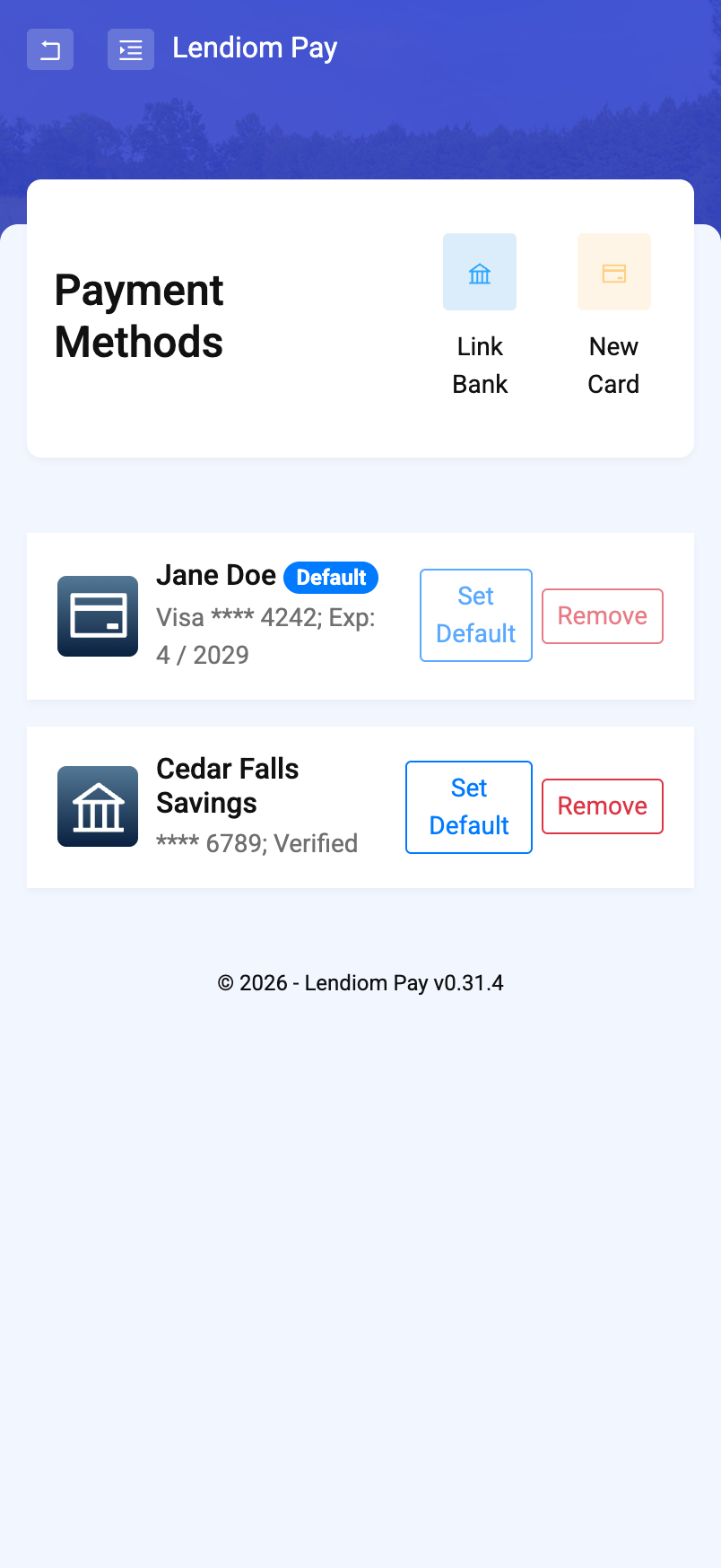
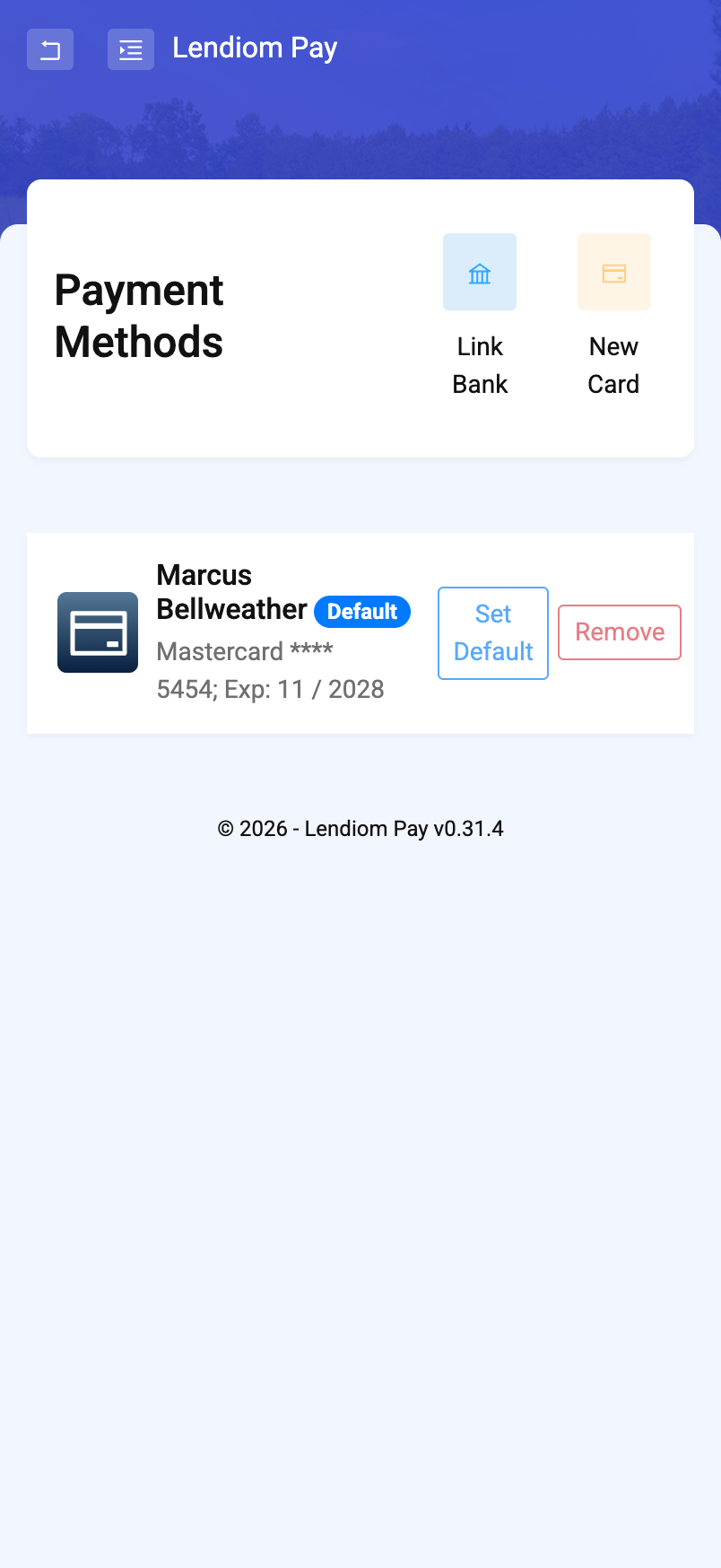
| at least one payment method is required (874) | You're removing your only method. | Add the replacement first. Remove is greyed out on your last method and on the default one. |
| payment method can't be removed, it's used for automatic payment(s) (99731) | This card or account is scheduled for automatic payments. | Point automatic payments at a different method, or ask the company you pay to turn them off, then remove it. |
| payment method can't be default as it's disabled (999) | A disabled method can't be the default. | Make a working method the default. |
| selected payment method isn't enabled, please use a different one (9982) | The method picked for automatic payments is disabled. | Choose a different one. |
| automatic payment start date must be in the future (9984) | That start date has passed. | Pick a later date. |
If Nothing Here Matches
- Session Expired, or a page that won't load: sign in again. Codes and sessions both time out.
- We couldn't load this payment page: tap Try Again, or use Back to Loan and start the payment from there.
- Anything else: screenshot the message, including the number in parentheses, and send it to the company you pay. They can see the same failure on their side.
Never send your full card number, security code, or bank account number by text or email. Not to the company you pay, and not to us. Enter payment details only in Lendiom Pay itself.