
Property Taxes
Since v0.21.0 of Lendiom, you can record property taxes within the Lendiom app. This guide explains each field in the property tax setup and how the process works.
Property Tax Section Overview
The property tax section shows a list of property taxes you have created. It highlights the status and allows you to open or create new property tax records.
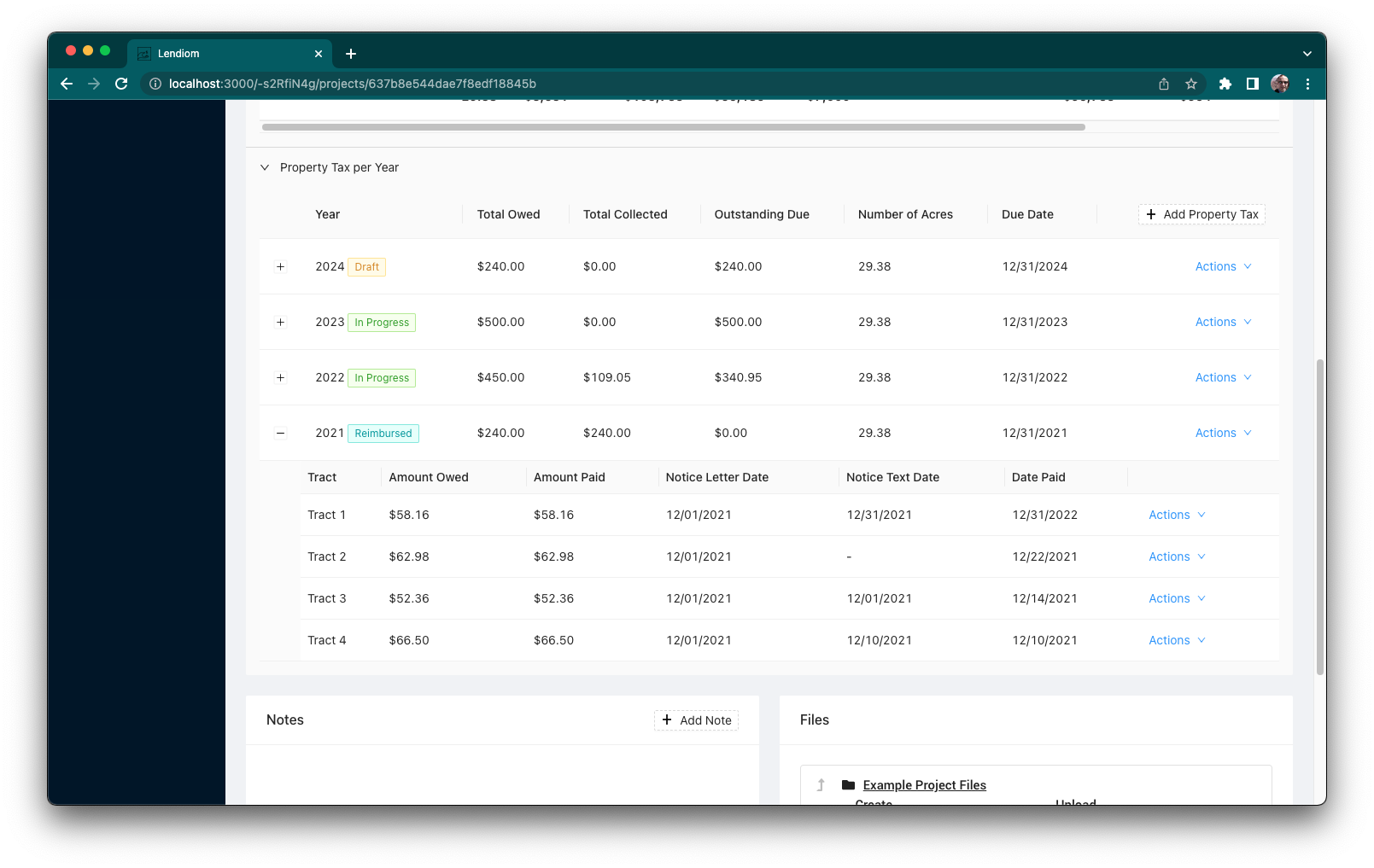
Property Tax Status Flow
After creating a property tax record, the system progresses through several statuses:
- Draft – Initial state while you enter information and make changes
- Finalizing – After you finalize, Lendiom generates and sends out notices
- In Progress – Notices have been sent and buyers can reimburse their portion
- Reimbursed – All tract taxes are paid or marked as paid
New Property Tax Creation
You create a new property tax record from the property tax section. The creation screen includes the following fields:
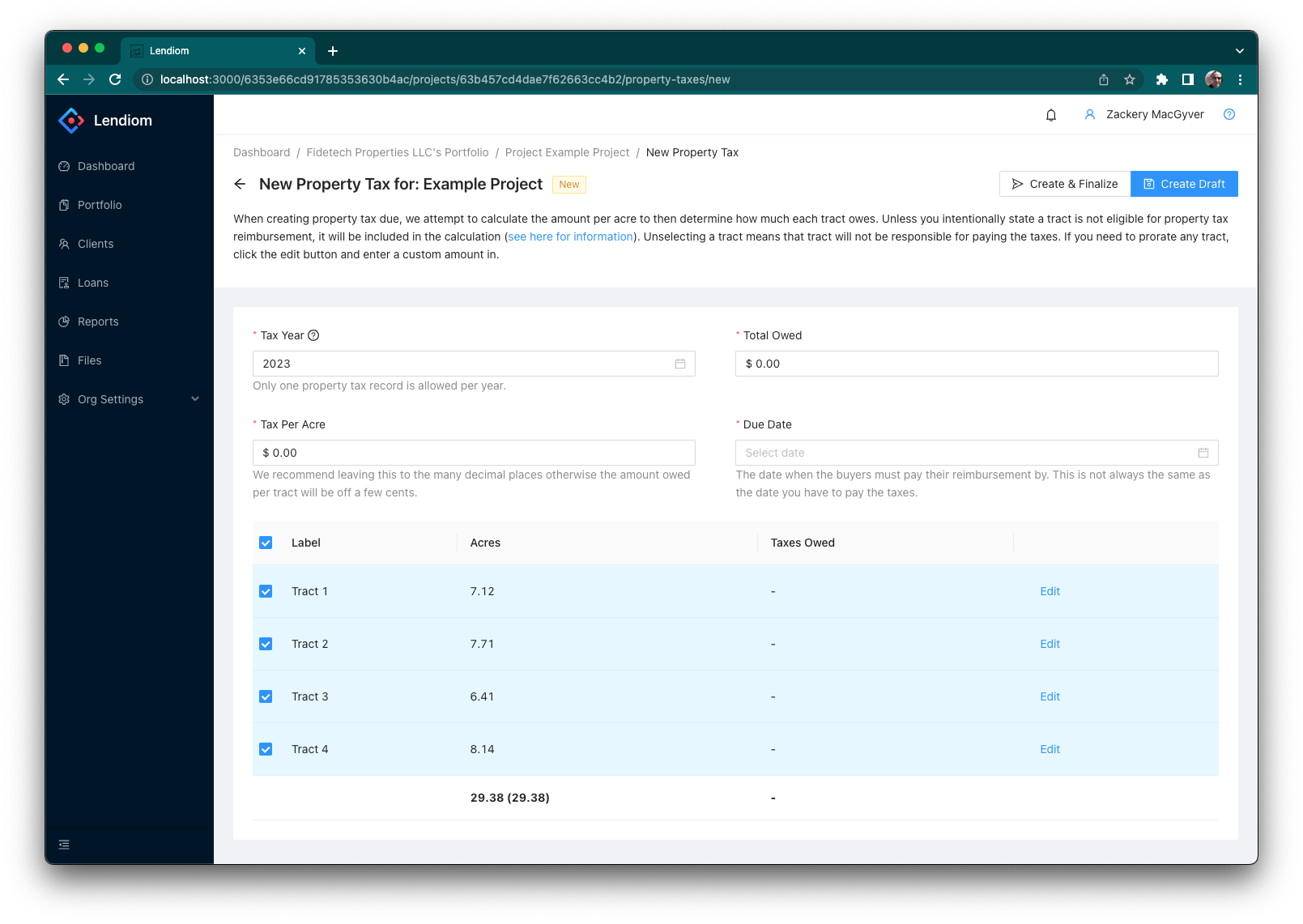
Input Descriptions
You can change these inputs while the property tax is in Draft. Once finalized, the values are locked.
- Tax Year – The year for which you are billed. Only one property tax per development per year is allowed.
- Total Owed – The total amount of tax you owe and need to be reimbursed for.
- Tax Per Acre – Automatically calculated using the total owed divided by the number of acres. We recommend leaving this auto-calculated.
- Due Date – Date when buyers must reimburse you. Lendiom includes this date in the notice and sends reminders on the due date.
Tracts Table
Below the inputs is a table listing every tract in the development.
- Checkbox – Include or exclude a tract from the tax. If a tract is not eligible for property tax reimbursement, it is excluded by default.
- Tract Label and Acres – Identifies each tract and its acreage.
- Taxes Owed – Calculated per tract based on the tax per acre. You can override this amount by clicking the Edit button.
- Edit Button – Opens a small editor to enter a custom amount. A Reset button allows you to revert to the calculated amount.
The summary row at the bottom shows:
- Total included acres vs. total acres
- Total taxes owed for all included tracts

Finalizing Screen
After entering all data, you must finalize the property tax so buyers can reimburse you. This screen provides options to send notices and collect payments.
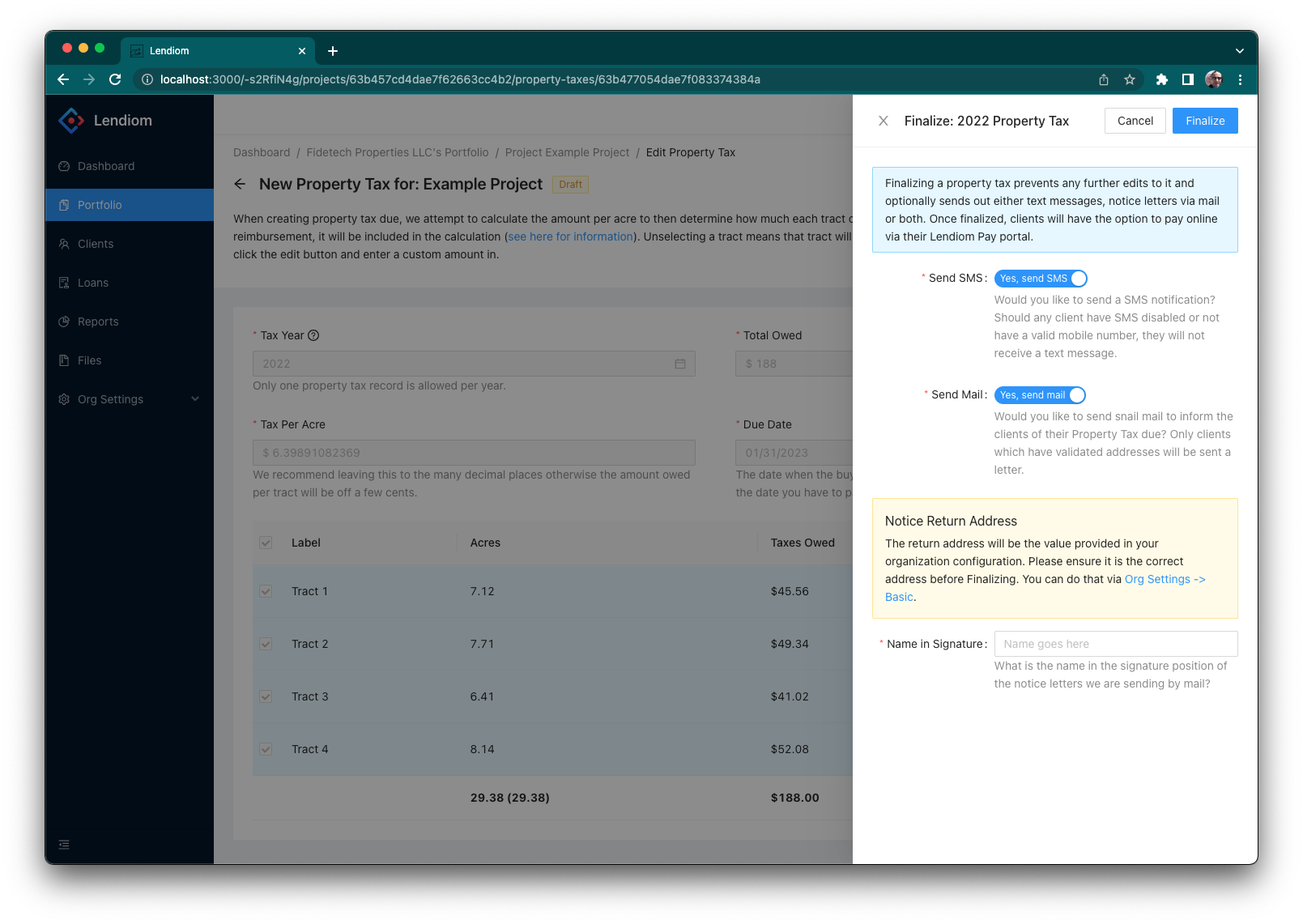
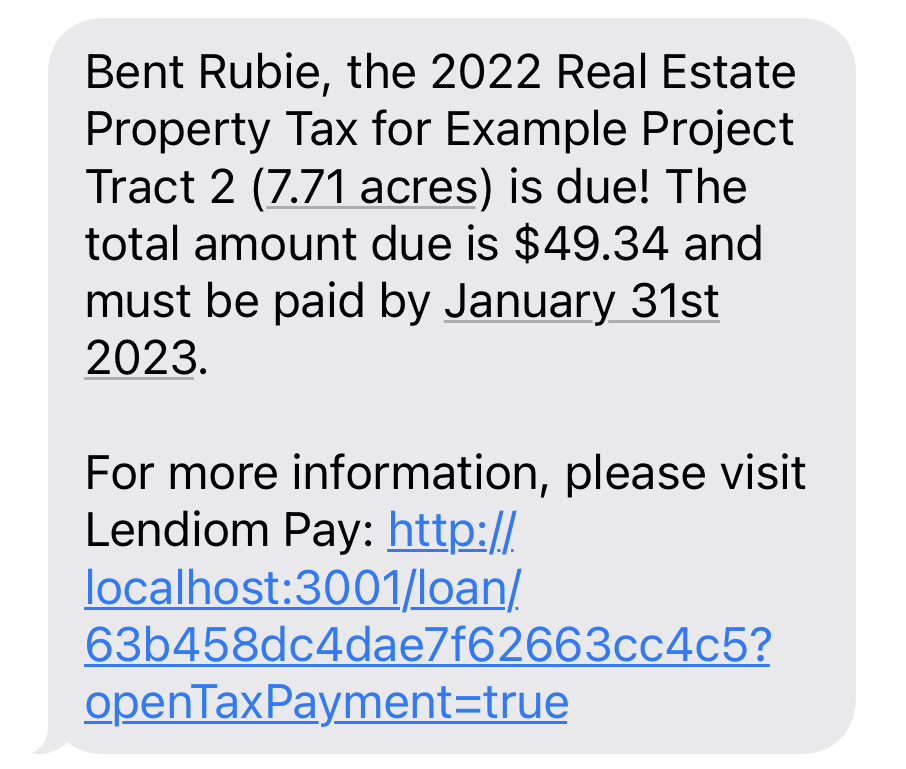
Send SMS
If enabled, Lendiom sends a text message notice to each buyer who has a valid phone number. This message is sent even if automated loan messages are disabled.
Send Mail
Lendiom can mail a notice letter to each buyer with a valid address. Verify the return address under Organization Settings before sending. You can also specify the name that appears in the signature field on the letter.
Name in Signature
Controls the signature name printed on the mailed notice.
Customer Paying
Buyers with loans in Lendiom can pay their property tax share through Lendiom Pay. See the Paying Property Taxes guide for more details.