Automated Borrower Messages
Lendiom sends a fixed set of messages to your buyers and tenants without anyone clicking a button. Some fire the moment something happens on a loan or rental. The rest run on daily jobs at set times. This is the complete catalog: what goes out, what triggers it, when it leaves, and on which channel.
If a message you expected never arrived, work through the automated message troubleshooting article. This page only covers what should happen.
The three conditions
No automated message reaches a client unless all three line up. Miss one and Lendiom stops without an error on your screen.
| Condition | Where you set it | When it is off |
|---|---|---|
| The Communication Portal is set up | Communications section of your organization | Text messages are dropped silently. Your brand and campaign must be registered and a number assigned. |
| The client is opted in on that channel | The entity record on the client | Text needs a cellular number that hasn't replied STOP. Email needs a verified, unblocked address. |
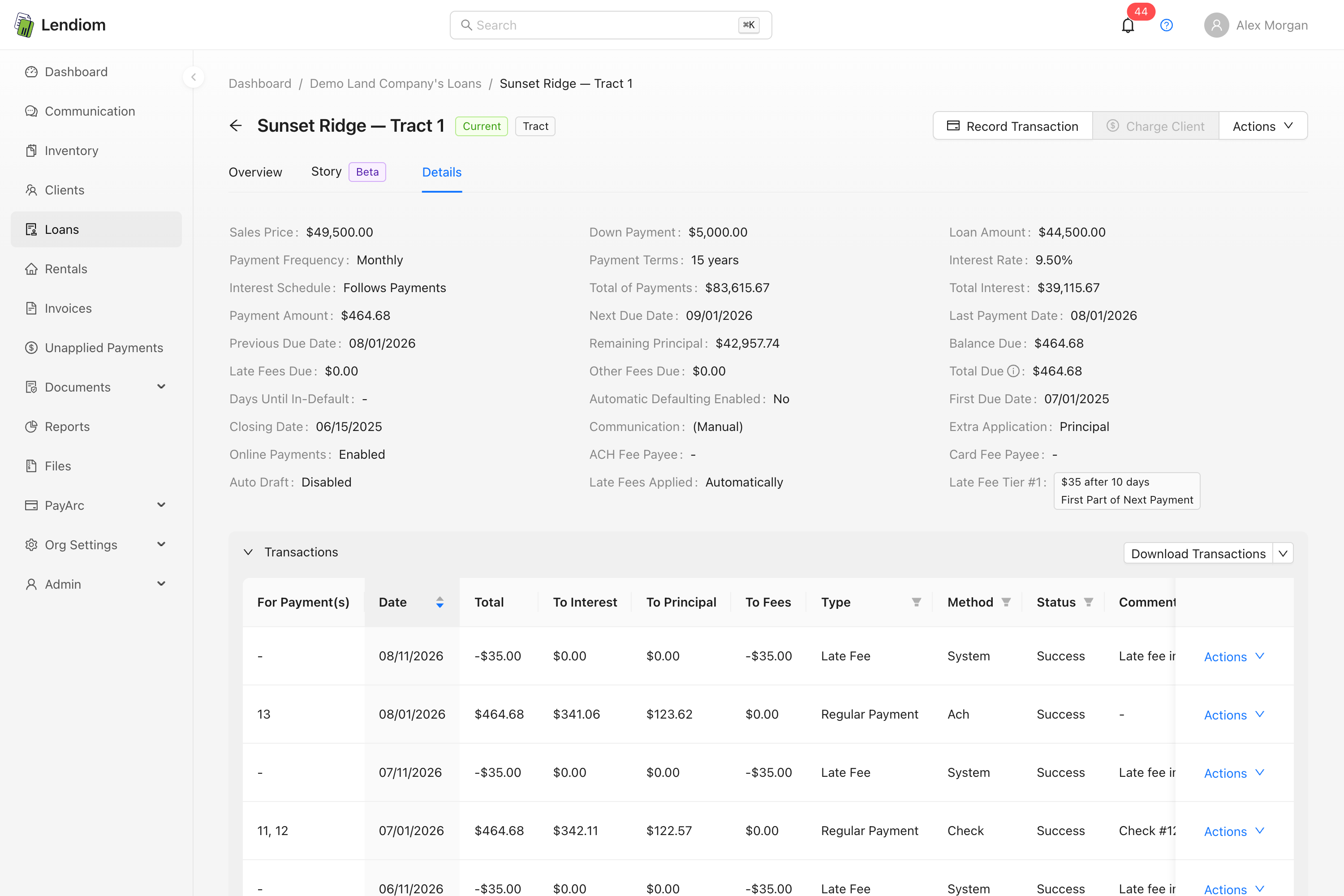
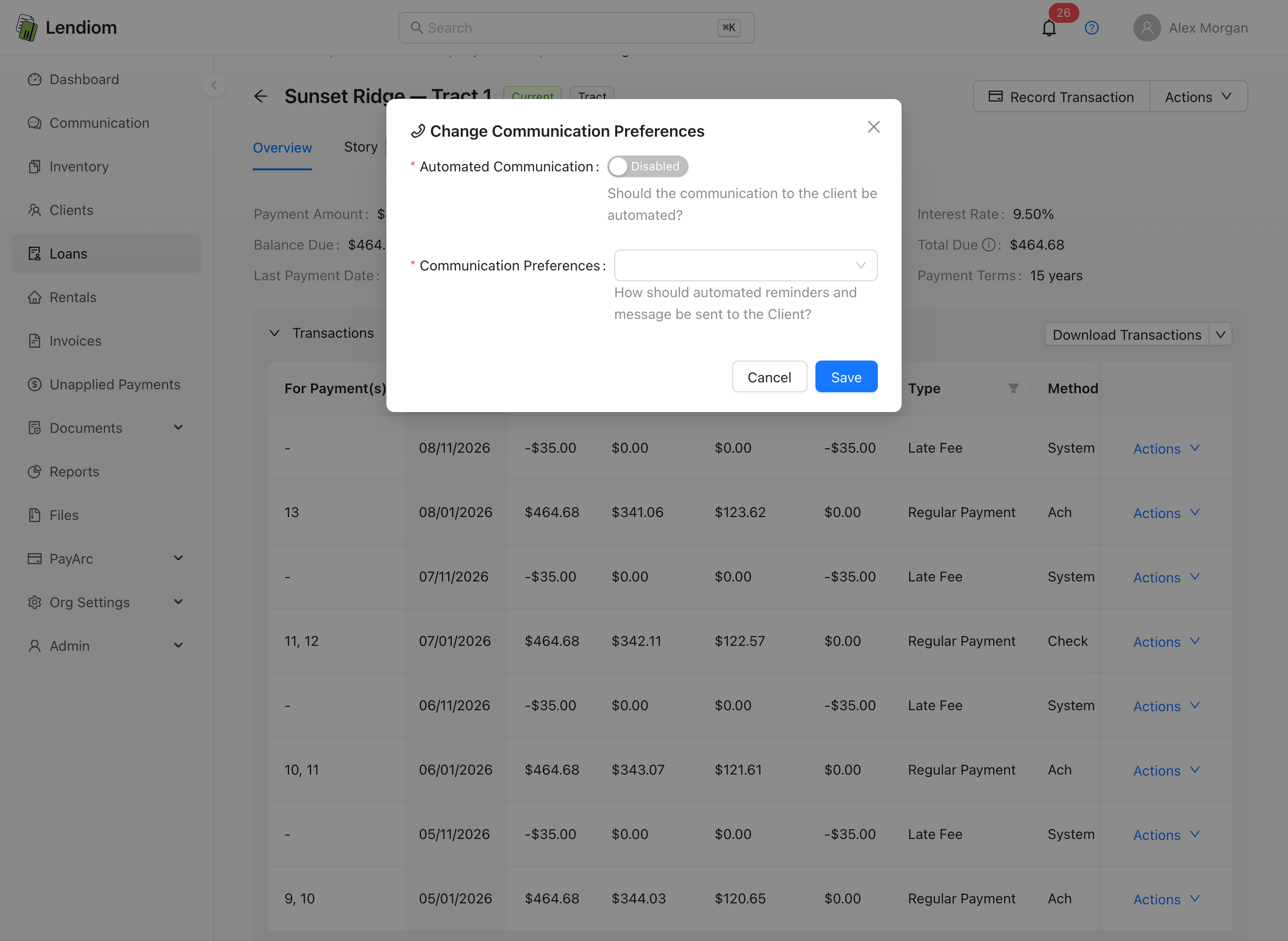
| Automated communication is enabled on the loan or rental | Communication Preferences on the loan or rental | Nothing automated goes out for that loan or rental, on any channel. |
The loan or rental also carries a Communication Preferences list: SMS, Email, or both. Lendiom sends one copy per selected channel. A loan with automated communication on but nothing selected sends nothing.
Automated messages go to the client's primary entity by default. Switching Send Automated Messages To to All Entities in Client Communication Preferences sends every automated message to every entity under the client.
Loan payment messages
| Message | Trigger | When it sends | Channel |
|---|---|---|---|
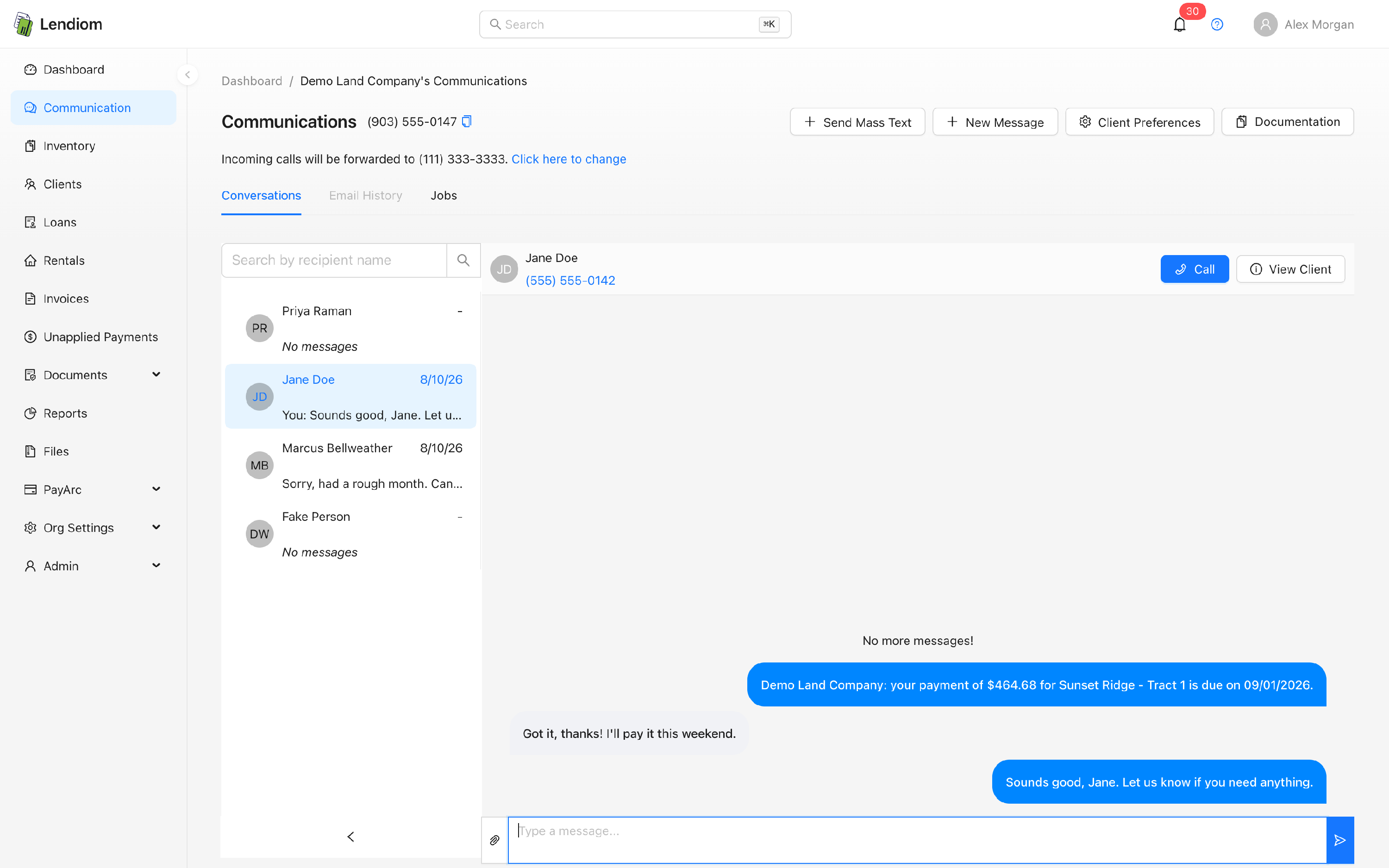
| Upcoming payment | The next scheduled payment falls within seven days | Daily 9:00 AM job, once per payment | SMS, email |
| Payment due today | Today is the loan's next due date in your timezone and the payment is unpaid | Daily 2:30 AM job, delivered 8:00 AM | SMS, email |
| Late payment | The previous payment passed its due date plus the first late fee grace period, still unpaid | Daily 8:30 AM job, once per payment | SMS, email |
| Payment pending | An online payment is submitted and still processing | Immediately | SMS, email |
| Payment successful | A regular or principal-only payment posts | Immediately | SMS, email |
| Payment failed | The processor rejects a payment | Immediately | SMS, email |
| Balloon maturity | An interest-only loan with a called due balloon nears maturity: 30 days out, 7 days out, and the day it's due | Daily 9:15 AM job, once per tier | SMS, email |
On a called-due balloon loan, the final lump sum is skipped by the upcoming, due-today, and late reminders and covered only by the balloon maturity tiers.
The late reminder depends on the payment already being flagged late. That flag is set by the Loan Data Integrity job at 12:30 AM, which also applies the late fee. A payment that crosses its grace period today is flagged overnight and the reminder goes out at 8:30 AM the next morning.
Down payment and setup fee messages
Reminder timing is evaluated by the Loan Data Integrity job at 12:30 AM, so these sit in the overnight queue and leave at 8:00 AM. See online down payments for the schedules themselves.
| Message | Trigger | When it sends | Channel |
|---|---|---|---|
| Down payment due | The unpaid amount or increment is due within five days | Daily 12:30 AM job, once | SMS |
| Down payment due today | Today is the due date for the unpaid amount | Daily 12:30 AM job, once | SMS |
| Down payment missed | The due date passed unpaid; the loan moves to its configured expired status | Daily 12:30 AM job | SMS |
| Down payment pending, successful, failed | The transaction is recorded | Immediately | SMS |
| Setup fee due | The unpaid fee or increment is due within five days | Daily 12:30 AM job, once | SMS, email |
| Setup fee due today | Today is the setup fee due date | Daily 12:30 AM job, once | SMS, email |
| Setup fee missed | The due date passed unpaid | Daily 12:30 AM job | SMS, email |
| Setup fee pending, successful, failed | The transaction is recorded | Immediately | SMS, email |
Automatic payment messages
When a buyer enrolls in auto draft through Lendiom Pay, Lendiom turns automated communication on for that loan and adds SMS to its preferences. See automatic payments.
| Message | Trigger | When it sends | Channel |
|---|---|---|---|
| Auto draft set up | A buyer completes enrollment on a loan | Immediately | SMS |
| Auto draft stopped | Auto draft is disabled on a loan | Immediately | SMS |
| Auto draft invalid payment method | The saved method is missing or disabled when the draft runs | Daily 3:00 AM job, delivered 8:00 AM | SMS |
| Auto draft bank declined | The bank returns a do-not-honor decline | Daily 3:00 AM job, delivered 8:00 AM | SMS, email |
| Auto draft failed | Any other processing error during the draft | Daily 3:00 AM job, delivered 8:00 AM | SMS, email |
| Auto draft cancelled | PayArc refused the draft because business bank drafts aren't enabled on the merchant account. Automatic payments are turned off for the loan; the message says it wasn't the buyer's bank account, that the payment is still due, and that the organization will say when automatic payments can be set up again | Daily 3:00 AM job, delivered 8:00 AM | SMS, email (per the client's preferences) |
| Auto draft not processed | The draft has been deferred seven days in a row for a reason that isn't the bank account (processor outage, daily limit, per-check limit, another payment in flight). Nothing was charged, the enrollment stays, and the message names the next scheduled date | Daily 3:00 AM job, delivered 8:00 AM | SMS, email (per the client's preferences) |
| Rental auto pay enabled | A tenant completes enrollment on a rental | Immediately | SMS, email |
| Rental auto pay stopped | Auto pay is disabled on a rental | Immediately | SMS, email |
| Rental auto pay invalid method or error | The saved method is missing or disabled, or the charge errors out | Daily 3:30 AM job, delivered 8:00 AM | SMS, email |
| Rental auto pay cancelled | PayArc refused the auto pay because business bank drafts aren't enabled on the merchant account. Auto pay is turned off for the rental; the message says it wasn't the tenant's bank account, that the payment is still due, and that the organization will say when auto pay can be set up again | Daily 3:30 AM job, delivered 8:00 AM | SMS, email (per the client's preferences) |
| Rental auto pay not processed | The auto pay has been deferred seven days in a row for a reason that isn't the bank account. Nothing was charged, the enrollment stays, and the message names the next scheduled date | Daily 3:30 AM job, delivered 8:00 AM | SMS, email (per the client's preferences) |
Rental messages
Rentals have no upcoming reminder, only a due-today notice and a late notice.
| Message | Trigger | When it sends | Channel |
|---|---|---|---|
| Rent due today | Today is the rental's next due date in your timezone | Daily 2:45 AM job, delivered 8:00 AM | SMS, email |
| Rent past due | The rental is late and today is the previous due date plus the first late fee tier's grace days | Daily 8:45 AM job | SMS, email |
| Rent payment pending, successful, failed | The transaction is recorded | Immediately | SMS, email |
Invoice messages
Invoices are billed to a client rather than to a loan or rental, so the Automated Communication switch on a loan or rental doesn't gate them. Each invoice carries its own delivery methods, email, text or physical mail, and falls back to email when none are chosen. The Communication Portal and per-channel opt-in conditions still apply.
| Message | Trigger | When it sends | Channel |
|---|---|---|---|
| Invoice sent | The invoice's Send action runs | Immediately | SMS, email, mail |
| Invoice due date reminder | Today matches one of the invoice's reminder days before its due date | Daily 8:35 AM job, once per reminder day | SMS, email |
| Invoice overdue reminder | Today matches one of the invoice's overdue reminder days and the reminder cap hasn't been reached | Daily 8:40 AM job, once per reminder day | SMS, email |
| Invoice payment pending | A client submits an online payment on the invoice | Immediately | SMS, email |
| Invoice payment successful | The processor confirms an online invoice payment | Immediately | SMS, email |
| Invoice payment received | A payment recorded by hand posts, or a pending manual payment is confirmed | Immediately | SMS, email |
| Invoice paid in full | A recorded payment brings the invoice balance to zero | Immediately | SMS, email |
| Invoice payment failed | The processor rejects or reverses an online invoice payment | Immediately | SMS, email |
| Invoice cancelled | The invoice is canceled | Immediately | SMS, email |
Sending an invoice is a manual step. What happens without a click is everything after it: the delivery on every channel the invoice lists, the two reminder jobs, and the payment and cancellation notices.
An online payment that clears the balance still uses the payment successful notice, with a paid-in-full subject line. The separate paid-in-full notice belongs to payments recorded by hand.
Physical mail carries the invoice itself and nothing else. Payment, cancellation, and reminder notices go out on email and text only, even when the invoice lists mail as a delivery method.
Both reminder jobs read the schedule stored on the invoice: the days before the due date, and the days after it together with the maximum number of overdue notices. An invoice with no reminder days configured gets neither reminder.
Other automated messages
| Message | Trigger | When it sends | Channel |
|---|---|---|---|
| Property tax due | A property tax record is in progress, today is its due date, and the tract's tax is unpaid | Daily 9:30 AM job | SMS |
| Mailing address confirmation | A loan reaches a 6- or 12-month milestone from its closing date, per your cadence | Daily 9:45 AM job | SMS, email |
| Lendiom Pay welcome | A draft loan is activated for a client who hasn't been welcomed before | Immediately, ahead of the quiet hours queue | SMS |
| Information update approved | Someone approves a change request the client submitted in Lendiom Pay | Immediately | SMS, email |
The property tax notice goes to the tract owner. When the tract is tied to a loan, that loan's automated communication setting and SMS preference are checked first; a tract with no loan is sent on the portal and opt-in conditions alone.
The address reminder is off until you pick a cadence in Client Communication Preferences. It skips buyers with no address on file and won't fire twice within a month of the same milestone.
The Lendiom Pay welcome text goes out once per client, so activating a second loan for the same client doesn't repeat it, and only when the Communication Portal is set up. Loans activated by the data importer skip it. You can also send the same text by hand from Send Info on the client's Lendiom Pay menu.
The approval notice follows a client change request being approved in the app. The email always goes out; the text is added only when the Communication Portal is set up. Like the welcome text, both are client-level and aren't gated by a loan or rental's Automated Communication switch.
Daily job times
Every job runs on the America/Chicago timezone. These times are fixed and can't be changed per organization. There's no setting for them.
| Time (America/Chicago) | Job |
|---|---|
| 12:30 AM | Loan Data Integrity: flags late payments, applies late fees, evaluates down payment and setup fee reminders |
| 12:45 AM | Rental Data Integrity |
| 2:30 AM | Loan payment due today |
| 2:45 AM | Rental payment due today |
| 3:00 AM | Loan auto draft |
| 3:30 AM | Rental auto pay |
| 8:00 AM | Release the overnight text queue |
| 8:05 AM | Release the overnight email queue |
| 8:30 AM | Loan late payment reminder |
| 8:35 AM | Invoice due date reminders |
| 8:40 AM | Invoice overdue reminders |
| 8:45 AM | Rental late payment reminder |
| 9:00 AM | Upcoming loan payment reminder |
| 9:15 AM | Balloon maturity reminder |
| 9:30 AM | Property tax reminder |
| 9:45 AM | Mailing address update reminder |
| 10:30 AM | Payment reminder document automation |
| 10:35 AM | Upcoming payment document automation |
Your organization's timezone still decides what counts as "today" for due-date comparisons, but the clock that starts each job is Central.
Quiet hours
Lendiom holds outbound messages generated between 10:00 PM and 8:00 AM Central and releases them the next morning: texts at 8:00 AM, emails at 8:05 AM. That's why the overnight jobs and the delivery times differ. The due-today reminder is decided at 2:30 AM but arrives at 8:00 AM. Messages you send by hand aren't held.
Several overnight jobs release into the same 8:00 AM window. A client with an auto draft failure and a due-today reminder on the same date receives both texts seconds apart.
What is not covered here
Mailed letters are separate. Document automation for successful payments, late fee tiers, and payment reminders runs on the loan's or rental's own document automation configuration, so turning automated communication off doesn't stop a scheduled letter.
Document signature requests, reminders, and expiration notices are also separate. They follow the per-signer email and text flags on the request itself, and the expiration check runs every two hours rather than on a daily schedule.