
The Loan Story Tab
The Story tab answers two questions about a loan: what is going on with it, and how did it get that way? Instead of reading the schedule, the transaction table, the notes, and the conversation history separately and holding the picture in your head, you get all of them assembled onto one page.
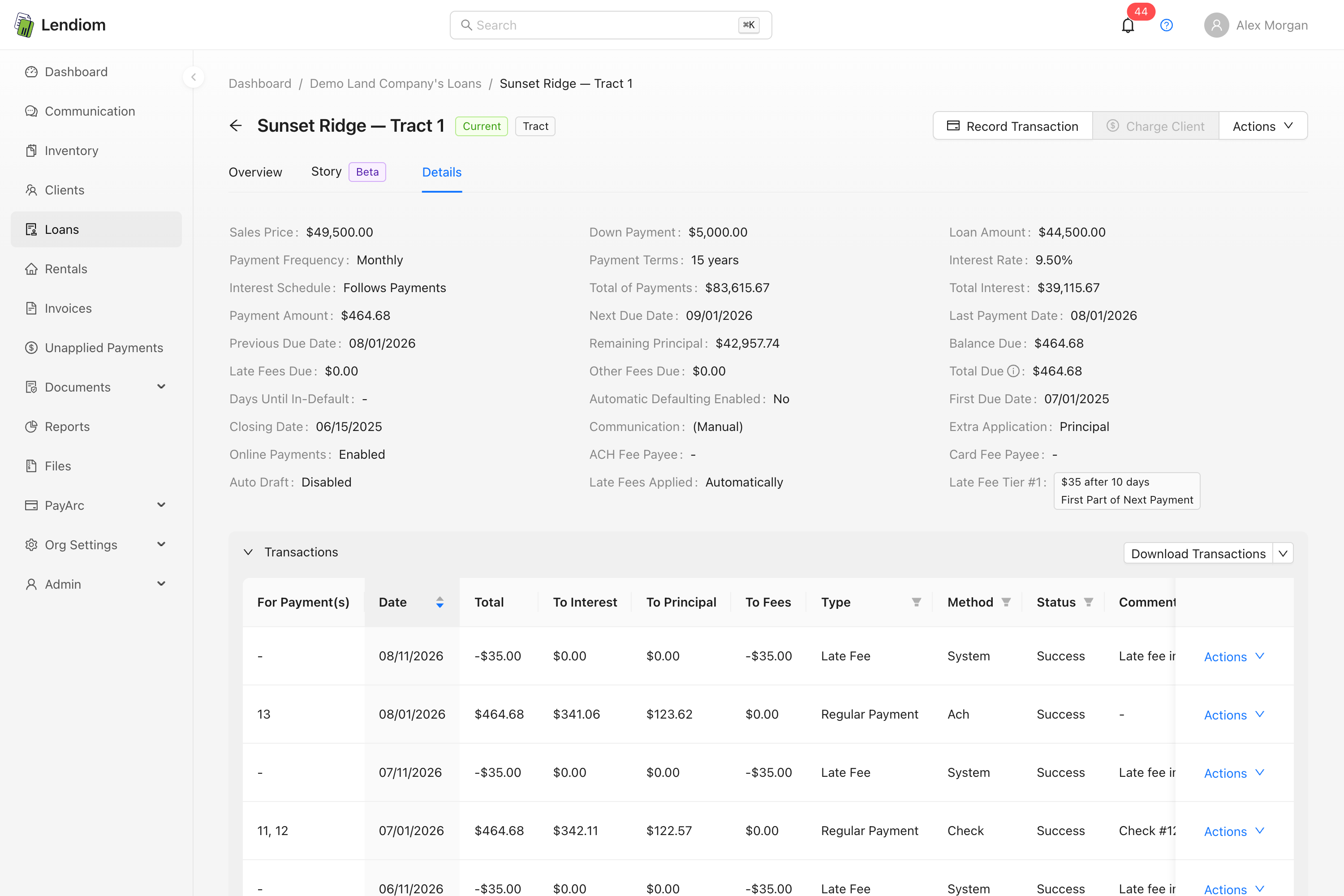
Open any loan and the tab sits in the header row, labeled Story with a purple Beta tag. This is for Loans only; Rentals don't have it.

What the page is made of
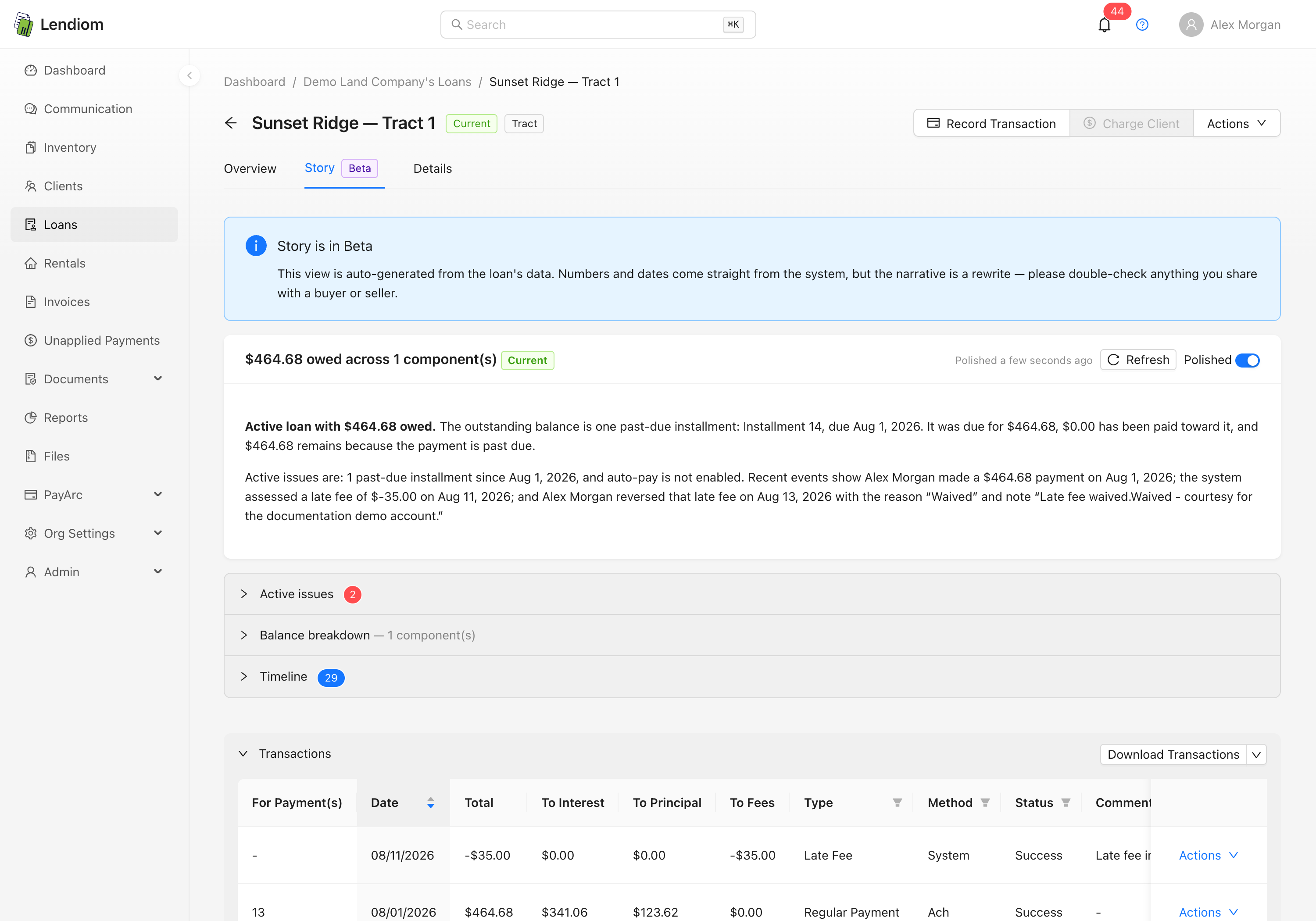
The tab always opens with a blue Story is in Beta banner, then a narrative card, then three sections that start collapsed:
| Section | What it holds |
|---|---|
| Narrative card | The headline, the loan's status tag, and a plain-English write-up |
| Active issues | One colored alert per current problem |
| Balance breakdown | A table of every outstanding line item, with a total |
| Timeline | Up to 50 dated events, oldest at the top |
Click a section header to expand it. The tab is read-only; nothing on it changes data.
The narrative card
The card's title is a generated headline plus the loan's status tag. The headline is one of a few fixed shapes:
| Situation | Headline |
|---|---|
| Nothing outstanding | Paid off, Current and in good standing, or, for any other status, the raw status code rather than its friendly label: in-default, repo, pending-payoff |
| Past-due installments outstanding | $1,240.00 owed across 3 component(s) |
| Fees only outstanding | $85.00 owed |
Below the title is the narrative itself, and this is where the two modes matter.
Polished vs. raw facts
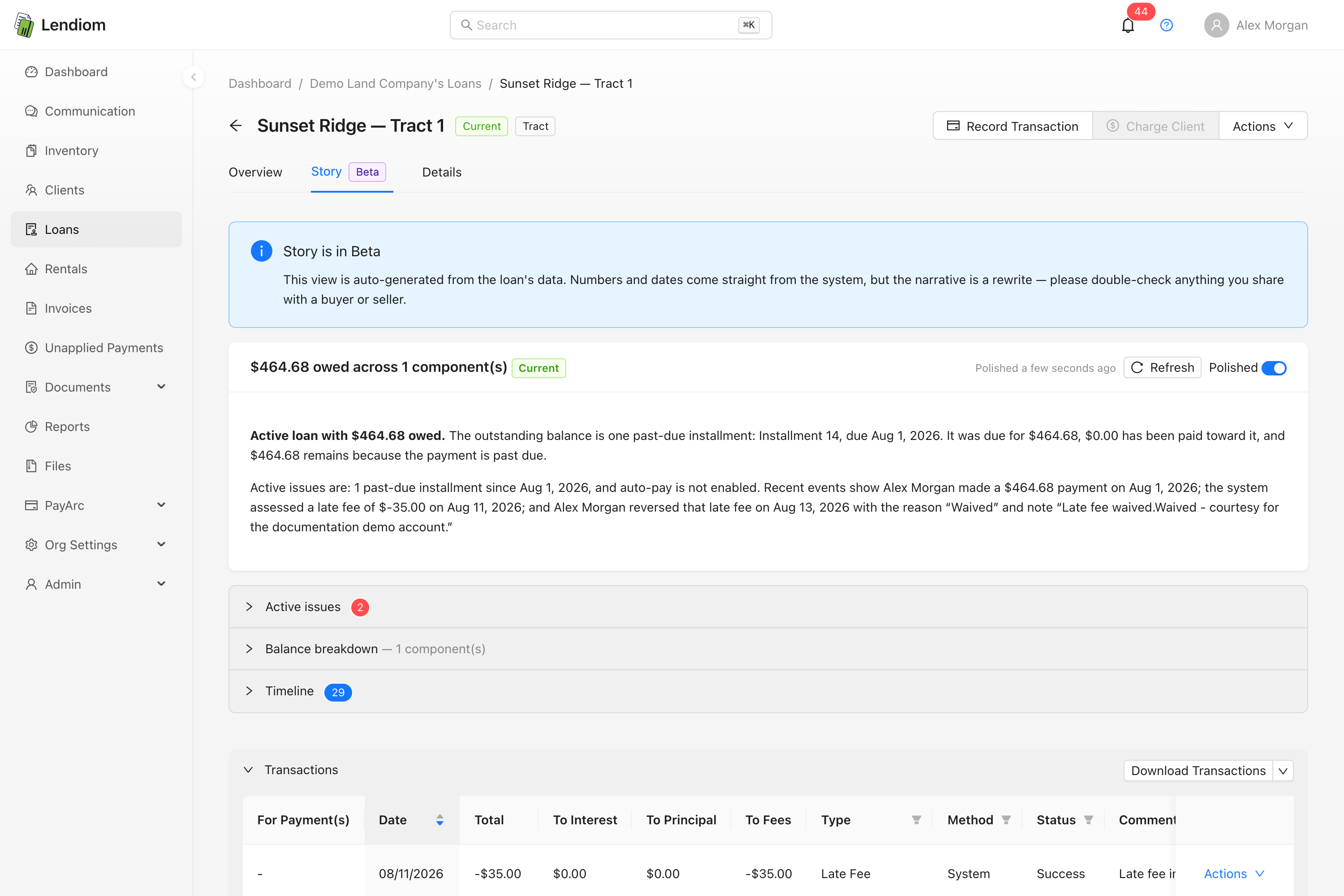
The card has a Polished switch. With it on, you get a two-to-four paragraph write-up in prose. With it off, or when no polished version exists, you get a one-line fallback built from the headline and a count of active issues, such as "$1,240.00 owed across 3 component(s). 2 active issue(s); see breakdown below."
Opening the tab fires two requests: the first skips the polish so the page paints immediately, the second fetches the polished narrative and swaps it in. While that second request runs you see Generating polished narrative… and a placeholder.
The Refresh button discards the stored narrative and generates a new one on the spot. Next to it, Polished 3 hours ago tells you when the current one was written; hover it for the exact timestamp.
Yes, a language model writes the prose
Being direct about this: the polished narrative is generated by a large language model. Lendiom sends the assembled facts to OpenAI and asks for a rewrite. Everything else on the page, meaning the headline, balance table, active issues and timeline, is computed from your data with no model involved.
What gets sent is the headline, the status, every balance component, every active issue, and the last 20 timeline events, including the text of any notes and SMS messages in that window and the names of the staff attached to those events. If that is more than you want leaving your account, don't open the tab.
The prompt instructs the model to use only the facts it was given, preserve amounts and dates exactly, and add no advice or speculation about cause. That's an instruction, not a guarantee.
Treat the polished paragraphs as a summary, not as a record. Before you repeat any figure to a buyer or put it in writing, flip the Polished switch off and confirm it against the balance breakdown and the timeline underneath. The banner at the top of the tab says the same thing.
One narrative is stored per loan and reused until the underlying facts change, which is why a loan can show the same wording for weeks and then rewrite itself the day a payment lands.
The polished narrative depends on a service Lendiom configures on the server side. If it's unavailable, the request fails quietly: the tab still renders everything else, the Polished switch stays disabled, and pressing Refresh produces no visible change and no error message.
Active issues
Only four kinds of problem are ever raised here:
| Issue | When it appears |
|---|---|
| Past-due installments | One or more scheduled payments due today or earlier aren't fully paid. Red |
| Setup fee unpaid | A setup fee on the loan was created and never paid. Orange |
| Other fees outstanding | The loan's other-fees bucket is above zero. Orange |
| Auto-pay isn't enabled | The loan permits auto-draft but it isn't currently active. Orange |
The auto-pay alert tries to tell you why it's off, pulling the reason from the most recent time it was disabled, and falls back to a generic description when none was recorded. Late fees and property tax show up in the balance breakdown but never raise an alert here.
Balance breakdown
The table lists one row per outstanding item, with Item, Due, Paid, Remaining, and Reason columns, and a Total row at the bottom.
| Row kind | What produces it |
|---|---|
| Installment | Each schedule payment due on or before today that isn't fully paid. Labeled Installment 4 (due Mar 1, 2026), with a reason of Not yet paid, Payment past due, or Underpaid by $120.00 |
| Late fees | The loan's late fee balance, when above zero |
| Other fees | The loan's other fees balance, when above zero |
| Property tax | The property tax balance, when above zero |
| Setup fee | Each unpaid setup fee, with the reason Created but never paid |
The Total here is what is currently owed, not the loan's payoff amount. Installments not yet due are excluded on purpose, and so is remaining principal. For a payoff figure, use Recording a Loan Payoff.
Installment labels and their due dates are rendered in your organization's timezone, falling back to Central if none is set.
Timeline
Events run oldest to newest with a colored icon per entry, the event title, the date, a detail line, and an attribution line reading by Jane Doe or by Lendiom. Anything the system did on its own, such as a nightly late fee or an auto-drafted payment, is attributed to Lendiom.
| Event | Source |
|---|---|
| Payment received / Late payment / Partial payment | Payment, principal, and down payment transactions. Lateness and shortfall are read off the schedule rows the payment covered |
| Payment reversed | A reversed transaction, with the reason and any reversal note. When the money was held as an unapplied payment the entry says so, and names the transaction it was re-applied as once that has happened |
| Payment failed | A payment the processor could not collect, a declined card or a returned ACH, at the moment it failed, with the processor's reason. It never counted toward the loan, so it doesn't also appear as a payment received |
| Payment re-applied from credit | A payment funded from an unapplied payment rather than new money, named after the credit it drew from. This is how a payment that moved after a failed ACH shows up |
| Credit refunded / Credit returned by hand | An unapplied payment whose money left: refunded through the processor, or handed back by your organization for money that was received by hand. Credits that are still open, or that funded a payment, add no entry of their own |
| Late fee assessed / waived / reversed | Late fee transactions. See Waiving Late Fees |
| Other fee added | A charge that increases the other-fees balance |
| Setup fee created / paid | The loan's setup fees |
| Auto-pay enabled / disabled | The loan's auto-draft history. See Automatic Payments |
| Note added / System note | Notes on the loan, both yours and the system's |
| SMS sent / received | Human-written messages with the client, from the Conversations inbox |
| Call placed / received | Calls with the client: direction, status, and duration only |
The list is capped at 50 events. Past that, the oldest are dropped and the newest 50 are kept.
Some things are filtered out deliberately. Automated messages, meaning reminders, late notices, and anything carrying the standard opt-out line, are stripped so real conversations aren't buried. Setup fee payments appear once, from the fee itself, not again from the transaction.
Messages and calls are attached to the client, not to the loan. If one client holds several loans with you, the same texts and calls appear on the Story tab of every one of them.
Timeline entries aren't clickable. They tell you a transaction exists but won't take you to it; scroll down to the transaction list to open it. Setup fee payments also carry no date and render as No date value set at the very top of the list.
How this differs from the Timeline and the transaction list
Three things on a loan look similar and aren't:
| Story timeline | Timeline feature | Transaction list | |
|---|---|---|---|
| Who writes it | Lendiom, from existing records | You, by hand | Lendiom, when money moves |
| Where it lives | The Story tab on a loan | Clients and tracts | Below the tabs on every loan |
| Contains | Payments, fees, auto-pay changes, notes, texts, calls | Whatever you type into it | Transactions only |
| Editable | No | Yes, add entries | Yes, reverse, waive, revise dates |
| Complete | No, capped at 50 events | Yes | Yes |
The transaction list stays below the tabs whichever tab you're on, so you can read the story and check a transaction without navigating away. When the two disagree, the transaction list wins. It's the record, and the story is a reading of it.
What is not on this tab
- Escrow activity, interest accrual, and remaining principal
- Future installments that aren't yet due
- Documents, files, and signature requests. Unapplied payments appear only through the reversal that created them, the payment that drew from them, and a refund or return
- Buttons to fix anything. Use the Action Center or add a transaction
- Anything older than the 50 most recent events
Who can see it
Anyone whose role holds loan read, the same permission that opens the loan at all. There's no separate permission for the Story tab.
That means the Story tab shows note text and SMS content to people whose roles don't include loan::notes or communication access. If a role is deliberately kept away from that material, review it against Roles and Permissions.